TL;DR - I built gitsy, a fast Go CLI that scans your workspace directories, concurrently fetches upstream changes, and can automatically fast-forward all your repositories and worktrees with a single command.
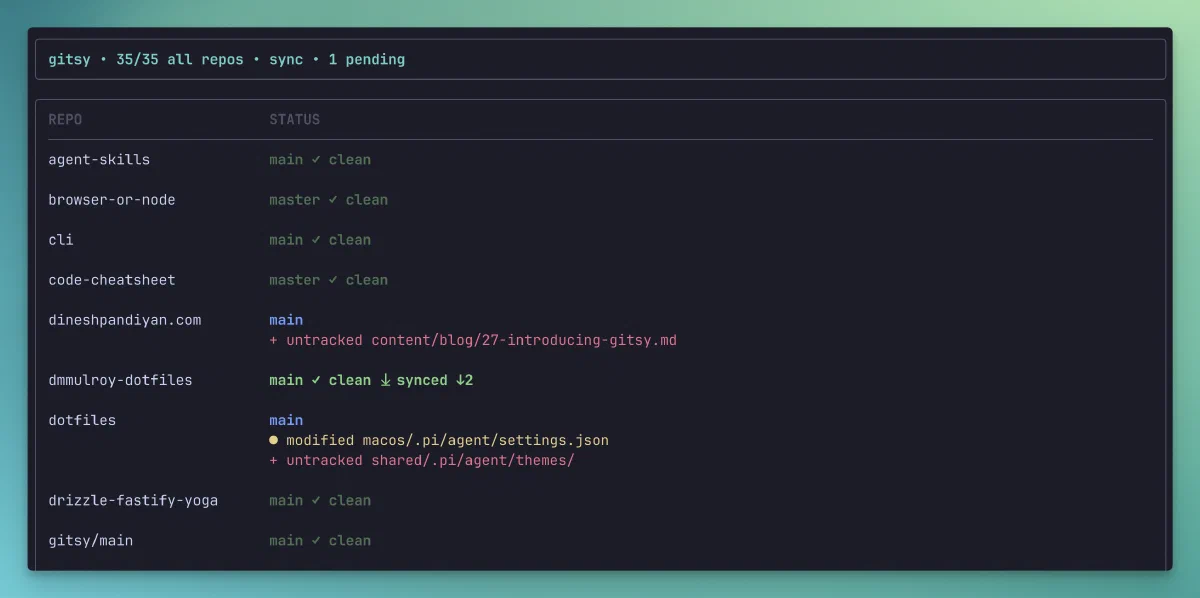
How many repos do you have sitting in your workspace directory right now? Ten? Fifty? A hundred? I have at least 60 repos and worktrees sitting in my workspace directory.
When you are working on multiple projects and context switching regularly, keeping all those local repos updated with their remote upstreams is a constant chore. I use two machines daily and find myself SSH-ing from one to another all the time. To keep things synchronized across both machines, I rely heavily on pushing and pulling branches. But every time I switched environments, I had to manually go into multiple folders and run git pull just to make sure I wasn’t working on stale code. It was tedious, and not fun at all.
So, I wrote a tool to automate it for me.
Every morning, or right after SSH-ing into my secondary machine, I run a single command in my workspace root:
1gitsy --sync
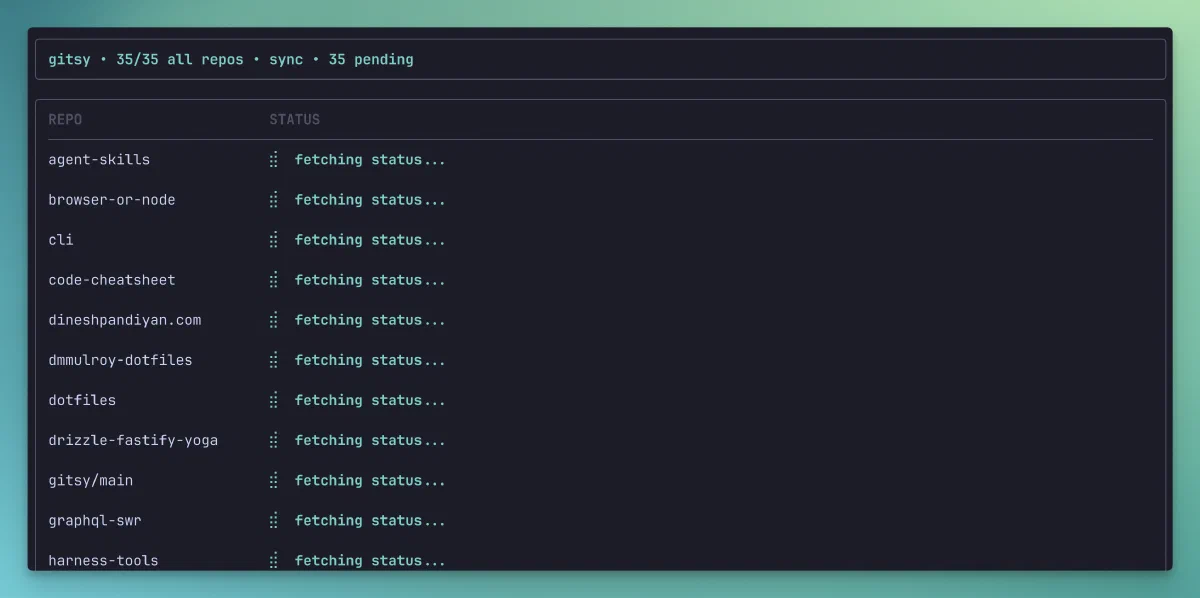
This starts up a fast, parallel scanning process that looks at every Git repository and linked worktree under the current directory, concurrently fetches fresh metadata from their remotes, and safely fast-forwards them if they are behind. Here is a sneak peek of what the CLI looks like when it runs:
Check out the docs, or try it out yourself here.
# Why I Built This
Apart from solving my own SSH multi-machine synchronization headache, I had another massive motivator.
For a while now, I have been fascinated by the gorgeous CLI tools coming out of the Go ecosystem, specifically the ones built on top of Charm’s terminal toolkits. I am talking about those beautifully colored terminal interfaces, smooth loading spinners, and interactive tables.
I’ve wanted to get my hands dirty with these libraries for months, and this project was the perfect opportunity to learn how to build interactive terminal applications. I got to play around with:
- Bubble Tea: a Go library based on the functional Elm Architecture for managing terminal UI loops and states.
- Lip Gloss: a highly expressive layout and styling engine that makes terminal styling feel almost like CSS
- Bubbles: a collection of common terminal UI components like spinners and tables
# What Gitsy Does Under the Hood
When you launch gitsy, a few things happen concurrently:
- Recursive directory scanning: It sweeps through your directory up to a configurable max depth, ignoring massive folders you don’t care about (looking at you,
node_modules). - Worktree detection: It doesn’t just scan normal repositories, it also actively looks for linked Git worktrees using
git worktree list --porcelainand includes them in the sweep. - Concurrent upstream fetching: Instead of fetching one by one, it spins up lightweight goroutines to run
git fetch --allin parallel across all found repositories. - Safe synchronization: When run with the
--syncflag, it attempts to safely sync your local branch refs. It runs agit merge --ff-onlyto fast-forward your local branches without any risk of interactive merge conflicts.
# The Interesting Technical Bits
Getting multiple terminal commands to play nice in parallel while rendering a smooth, live-updating user interface was quite a learning experience.
# Controlling Parallelism and Git Noise
Usually, if you run a dozen native shell processes concurrently in Go, you run the risk of throttling your system or network. Plus, managing terminal output for concurrent tasks is notoriously messy.
To solve this, gitsy limits the active background tasks to a maximum of 8 concurrent workers. In tui.go, we manage this using Bubble Tea’s message-passing loop. We start by queueing up the first batch of inspections, and as soon as one worker completes and returns its repoDoneMsg, we instantly kick off the next one in the queue:
 1func (model *Model) nextInspectCommands() tea.Cmd {
 2 commands := []tea.Cmd{}
 3 for model.active < maxInspecting && model.next < len(model.results) {
 4  index := model.next
 5  model.next++
 6  model.active++
 7  commands = append(commands, model.inspectRepo(index, model.results[index].Repo))
 8 }
 9 return tea.Batch(commands...)
10}
This keeps the network and disk I/O stable while giving the user a gorgeous, progressive live update as repositories change from “pending” to “done”.
# Regex-Free Worktree Parsing
I love Git worktrees. They let you check out multiple branches of the same repository in separate folders simultaneously. But most simple repository scanners ignore them.
To make sure gitsy respects worktrees, we run git worktree list --porcelain on every scanned repository. Instead of writing complex, brittle regular expressions to find where these worktrees live, we parse the clean porcelain format directly:
1func ParseWorktreePaths(porcelain string) []string {
2 paths := []string{}
3 for _, line := range strings.Split(strings.ReplaceAll(porcelain, "\r\n", "\n"), "\n") {
4  if strings.HasPrefix(line, "worktree ") {
5   paths = append(paths, strings.TrimPrefix(line, "worktree "))
6  }
7 }
8 return paths
9}
# Wrapping Up
Building gitsy was a ton of fun, and it has made my multi-machine Git workflow not feel like a chore. If you find yourself constantly navigating nested folders just to pull upstream changes, you might appreciate gitsy.
Repo is here: flexdinesh/gitsy. Give it a look and let me know what you think!